

You can check your work permit status online in the UAE in 2026 through MOHRE’s (Ministry of Human Resources and Emiratisation) official website or mobile application.
In 2026, you do not have to wait for your employer or HR department to share an update about your UAE work permit application. You can check its status yourself through the official Ministry of Human Resources and Emiratisation (MOHRE) website or mobile application.
Whether you want to follow up on a delayed application or the renewal of your work permit, you need complete information about how to check your work permit status in the UAE, the details required and other important information.
Table of Contents
What Is a UAE Work Permit?

A work permit is an official authorisation issued by the Ministry of Human Resources and Emiratisation (MOHRE) that allows an individual to work for an eligible employer in the UAE under the applicable regulations. Under Article 6 of the UAE Labour Law (Federal Decree-Law No. 33 of 2021), a person may not work, and an employer may not employ a worker, in the UAE unless the required work permit is obtained in accordance with the applicable regulations and procedures.
Note: MOHRE generally issues work permits to establishments registered with the Ministry. Certain free-zone employers and other employment categories may follow separate procedures through their respective authorities.
How to Check Your Status with MOHRE Enquiry Service
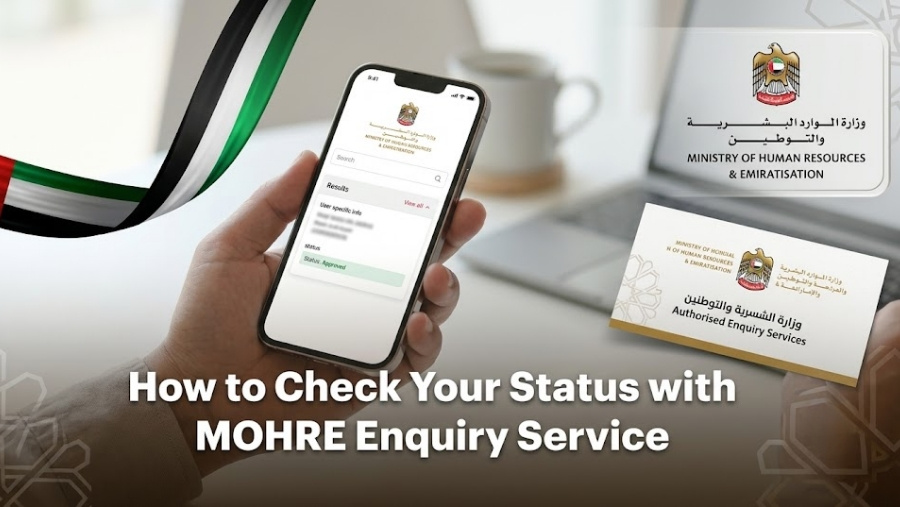
You can check your work permit status in the UAE online through the official MOHRE website or mobile application by selecting the relevant inquiry service and submitting the required information. You can also contact MOHRE customer service to check your application status.
Here is how to check your work permit application status:
Through the Official MOHRE Website
Follow the step-by-step process for labour card checking online:
Official Portal: Visit the official website of MOHRE, “www.mohre.gov.ae“, or directly access the MOHRE Inquiry Services portal at “inquiry.mohre.gov.ae”.
Go to Services: Navigate to the “Inquiry Services” section of the portal.
Select the Service Type: Select the relevant service, such as “Application Status” or “Electronic Work Permit Information”.
Choose Inquiry Type: Choose “Application Status” to track your submitted application or “Electronic Work Permit Information” to check your existing permit details. You can also select “Print Electronic Work Permit” if you want to download or print your electronic work permit.
Enter the necessary details, depending on the selected service, such as:
- Transaction Number
- Work Permit Number
- Person Code
- Date of Birth
Search: Enter the requested details, complete the security verification if required and click on the “Search” button. The available information may include your application status, work permit details, employer information and permit validity, depending on the selected inquiry service.
Through the MOHRE Mobile App
Follow these steps to check your work permit status on the MOHRE application:
Visit the App: Download the official MOHRE app from the Google Play Store or Apple App Store, or simply open the app on your phone if you have already installed it.
Log in or Sign in: Log in to your account using the available login options, including UAE Pass where supported.
The Dashboard: Go to the app’s dashboard and look for the relevant employee services, application inquiries or work permit information options.
Click on Status: Select the relevant application inquiry or work permit information service to track your application using the available reference details.
View Application Status: You can view the available application status, approval information or transaction history of your work permit application, depending on the service.
Through MOHRE Customer Support
Look at the steps below to understand how you can check your MOHRE application status for a work permit through customer service:
Call Center: Call MOHRE at 600590000 to get help from a MOHRE customer care representative. This is a convenient alternative to the labour card checking online process. The call centre is available 24/7.
WhatsApp Service: You can directly contact MOHRE through WhatsApp at 600590000. Follow the available automated instructions to access enquiry assistance and provide the necessary details, such as your application or transaction reference number.
What Information Do You Need to Check Your Work Permit?
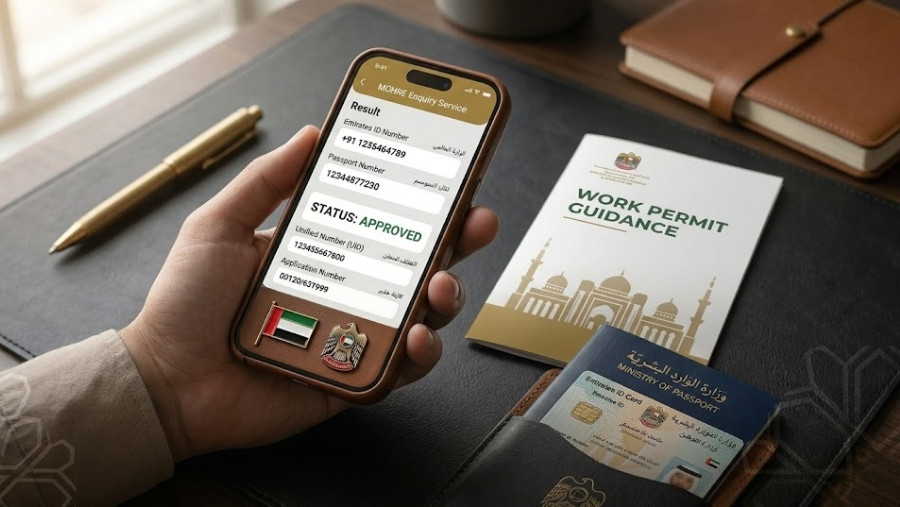
The information you may need to check your MOHRE enquiry status for a work permit in the UAE depends on the inquiry service you select.
Personal Information
- Full Name
- Date of Birth
- Nationality
Document and Tracking Numbers
- Passport Number (if requested)
- Permit or Application Number
- Transaction Number
- Person Code (if requested)
- Application Date (if requested)
Employer and Job Information
- Company Name
- Employer Registration Details (if requested)
Note: Not all the details mentioned above are mandatory for every inquiry. The information required depends on the selected MOHRE service. Keep your application or transaction reference number ready before starting the inquiry.
How to Understand Your MOHRE Work Permit Status

Look at the table below to understand the common UAE work permit application statuses:
| Status | What It Means | What You Should Do |
|---|---|---|
| Under Process | The application is still being processed. | Check again later or contact your employer for an update. |
| Approved | The application has been approved at the relevant stage. | Verify whether the electronic work permit has been issued. |
| Pending Documents | Additional documents may be needed, depending on the application. | Ask your employer or PRO to confirm any outstanding requirements. |
| Rejected | The application has not been approved. | Ask your employer about the reason and available next steps. |
| Issued | The work permit has been issued. | Use MOHRE’s electronic work permit inquiry service to verify the permit details. |
| No Record Found | The inquiry did not return a matching record. | Check the transaction or permit details and contact MOHRE if the issue persists. |
Note: Status labels and meanings shown in the table above are general explanations and may vary depending on the MOHRE inquiry service. Therefore, use these labels as a reference and follow the exact status and instructions displayed on the official MOHRE platform.
How to Check Employment Visa Status in the UAE

A UAE work permit and an employment residence visa are two different documents. You can check your work permit details through MOHRE, while employment visa and residence application details are generally checked through the relevant immigration authority.
For Dubai Visa Applications
Follow these steps to check your employment visa status in Dubai:
Official Portal: Visit the official website of the General Directorate of Residency and Foreigners Affairs (GDRFA), Dubai.
Go to Services: Navigate to the “Services” section on the homepage.
Select the Service Type: Select the “Visa Status” or “Application Status Tracker” service, depending on your application.
Necessary Details: For the GDRFA Application Status Tracker, enter the necessary details:
- Application Reference Number
- Email Address used in the application
- Emirates ID Number used in the application
For the Visa Status inquiry, follow the details requested by the relevant service.
Search: Complete the required verification and submit your inquiry to find your application details and available visa or residence permit status information.
For Abu Dhabi and the Other Emirates
Here are the steps to check your employment visa status in Abu Dhabi and the other emirates:
Official Portal: Visit the official website of the Federal Authority for Identity, Citizenship, Customs and Port Security (ICP).
Go to Services: Find the relevant smart services or inquiry section on the homepage.
Select the Service Type: Select the “File Validity” service.
Choose Inquiry Type: Choose the relevant search option, such as “File Number” or “Passport Information”, depending on the details available to you.
Necessary Details: Enter the necessary information according to your selected search method, such as:
- Application or File Number
- Passport Number
- Passport Expiry Date (if requested)
- Nationality
- Date of Birth
Search: Complete the verification process and click on the “Search” button to find your employment visa or residence file details, including the available file status and validity information.
MOHRE Contact Details and Official Resources

Here are the contact numbers and channels through which you can connect with MOHRE:
| Contact Channel | Details |
|---|---|
| Call Center (UAE) | 600590000 |
| International Call Center | 00971-68034000 |
| Labour Claims and Advisory Center | 80084 |
| WhatsApp Support | 600590000 |
| Official Email | ask@mohre.gov.ae |
Working Hours:
Call Center: Available 24/7.
WhatsApp: Contact MOHRE through the official WhatsApp number at 600590000 and follow the available service instructions.
Customer Happiness Centers:
- Monday to Thursday: 7:30 AM to 3:30 PM
- Friday: 7:30 AM to 12:00 PM
Note: The above timings apply to Customer Happiness Centers. Video-call assistance and other customer services may have different operating hours.
Conclusion
In 2026, employees can check their work permit application status online through the MOHRE portal and mobile app. By keeping their details, such as their application number, date of birth and other required information, they can track their work permit status in the UAE in simple steps. If they face any issues during the process, they can directly contact MOHRE customer service or their employer for further assistance.
Staff Connect is a reputable staffing agency in Dubai, offering talent recruitment solutions to businesses of all sizes. Apart from hiring talent for companies, we also provide services related to work permits and UAE visas for employees.
Our team handles every step of the application process, including documentation and application status tracking. We help ensure that employees complete their work permit and visa procedures on time so they can start working as soon as the required approvals are obtained.
Frequently Asked Questions
Can I work in the UAE while my work permit is still pending?
No, you cannot legally start working in the UAE while your required work permit is still pending. You must obtain the necessary work authorisation before starting employment.
What should I do if my employer refuses to share my work permit details?
If your employer refuses to share your work permit details, you can contact MOHRE for assistance or file a labour complaint through the official MOHRE website or app, where applicable.
Can I change jobs in the UAE if my work permit is still valid?
Yes, you can change jobs in the UAE if you meet the applicable UAE Labour Law requirements and complete the necessary procedures. Your new employer must obtain the required work permit before you start working for them.
How long does MOHRE work permit approval take in 2026?
The processing time depends on the work permit type, application requirements and document verification. The UAE Government’s Work Bundle initiative has reduced the overall processing time for its integrated work permit process to five working days. However, this should not be treated as a guaranteed approval timeline for every individual application. Additional documents, approvals or other requirements may affect processing time.
Will I be notified when my UAE work permit is approved?
UAE work permit notifications depend on the application and the communication channels used. You can also check the status through the MOHRE portal or contact your employer for an update.
Can my UAE work permit be cancelled without my knowledge?
Work permit cancellation is subject to MOHRE procedures. If you suspect that your work permit has been cancelled without your knowledge, check the MOHRE portal or contact the Ministry directly for clarification.
What should I do if my work permit status is not updating?
You can ask your employer or company PRO to check the latest transaction details through the MOHRE portal. You can also contact MOHRE customer support at 600590000 for assistance.
